A collection of useful tidbits to make GTmetrix a little more convenient and useful.
Direct link to sections of a report using these URL modifiers
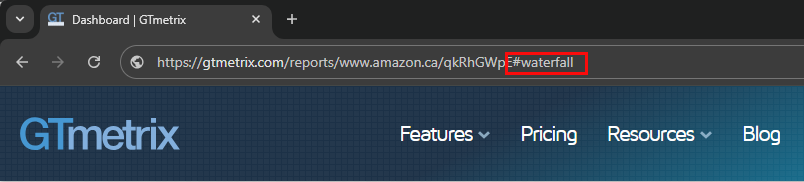
Add these anchors or modifiers to report URLs to directly link to parts or features of a GTmetrix report.
You can add the following to the end of a GTmetrix report URL:
- /latest – View the latest report for that URL
Example: An older report slug with /latest added would redirect you to the latest report #waterfall“>https://gtmetrix.com/reports/gtmetrix.com/w87UqRo1/latest#waterfall
Example: https://gtmetrix.com/reports/gtmetrix.com/59U6TWFz/#performance
Example: https://gtmetrix.com/reports/gtmetrix.com/59U6TWFz/#structure
Example: https://gtmetrix.com/reports/gtmetrix.com/59U6TWFz/#waterfall
Example: https://gtmetrix.com/reports/gtmetrix.com/59U6TWFz#video
Example: https://gtmetrix.com/reports/gtmetrix.com/59U6TWFz/#history
Example: https://gtmetrix.com/reports/gtmetrix.com/59U6TWFz/history.csv
Example: https://gtmetrix.com/reports/gtmetrix.com/59U6TWFz/pdf
Example: https://gtmetrix.com/reports/gtmetrix.com/59U6TWFz/pdf?full=1
Example: https://gtmetrix.com/reports/gtmetrix.com/59U6TWFz/net.har?pretty=1
In addition to the above format, you can use also the /pages link format to accomplish the same thing, provided you know the page slug.
For instance, if you hover over the “View latest report” button on any older GTmetrix Report, you’ll see the link for the latest report reveals the GTmetrix Report link with this format.
For example: https://gtmetrix.com/pages/gtmetrix.com/rTmdKttK/latest-report
You can use this structure in conjunction with the other modifiers.
To default to the Waterfall Chart, you would add #waterfall to this link – https://gtmetrix.com/pages/gtmetrix.com/rTmdKttK/latest-report#waterfall
Similarly, you can use the other modifiers as mentioned above.
Test with different countries, speeds and options
Get access to more Test Locations, Analysis Options and Connection speeds!
Sign up for a Basic GTmetrix account and see how your site performs in more scenarios – It’s FREE!