We show you how to connect the GTmetrix MCP with Lovable to automate your performance testing workflow.
Overview
The GTmetrix MCP can be connected to Lovable to bring real-world testing and performance data straight into your Lovable AI workflow.

This allows Lovable to analyze live GTmetrix test data, identify bottlenecks, recommend improvements, and even refactor its own generated code based on actual performance results.
In this guide, we show you how to connect the GTmetrix MCP to Lovable with step-by-step instructions.
How to Connect Lovable to the GTmetrix MCP
Here’s how to get GTmetrix connected to Lovable quickly:
Step 1) Add a Custom Connector
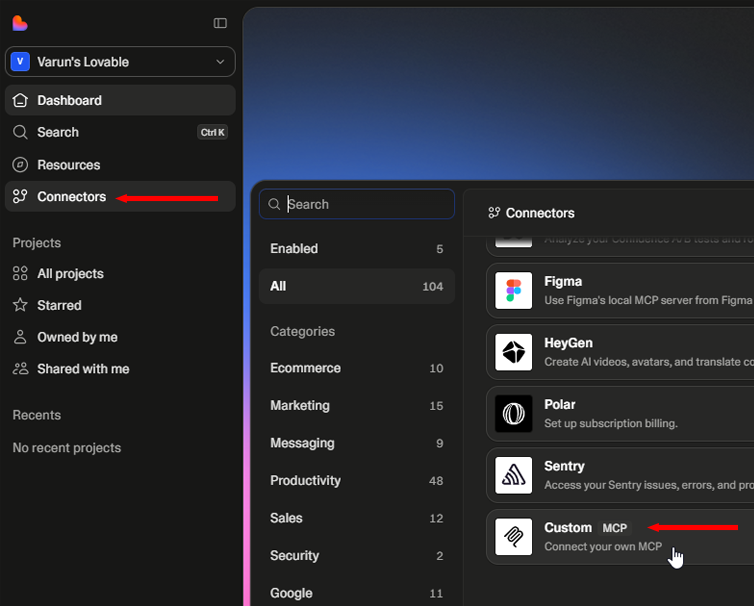
From your Lovable Dashboard, expand the left sidebar navigation panel.
Go to Connectors, scroll down and click on Custom MCP.
Step 2) Input the GTmetrix MCP configuration
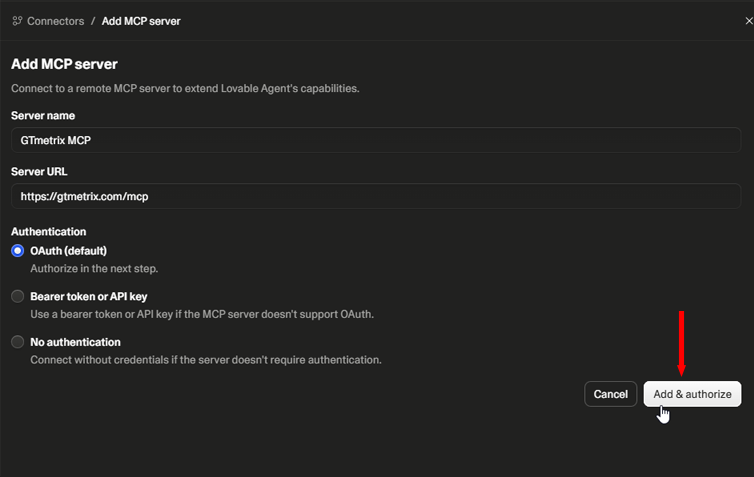
Enter the required connection values into the server setup modal:
- Name: GTmetrix MCP
- URL: https://gtmetrix.com/mcp
- Authentication: OAuth (default)
Then, click on Add & Authorize.
Step 3) Authorize Lovable to Access GTmetrix
A new popup will display asking you to authorize Lovable to connect to GTmetrix.
Log into your GTmetrix account, and click on Allow.
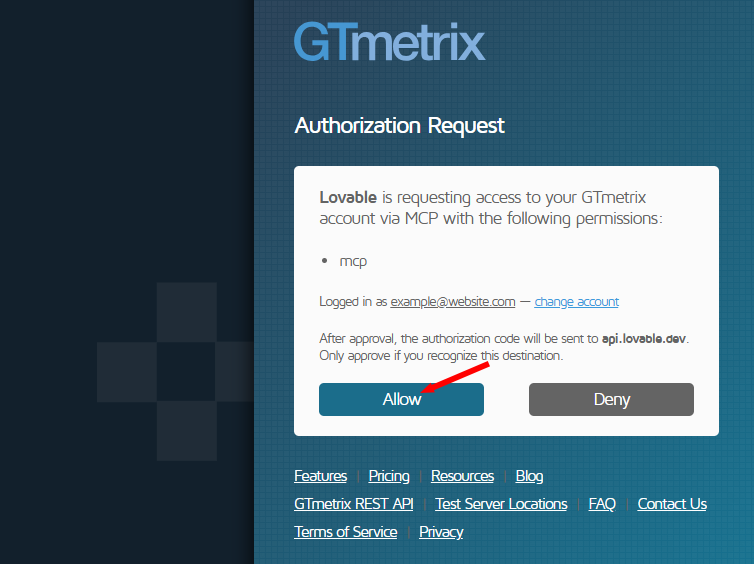
If you don’t have a GTmetrix account, you can continue as a Guest, or create one (It’s free!), then click Allow.
You should see the GTmetrix MCP tools once completed.
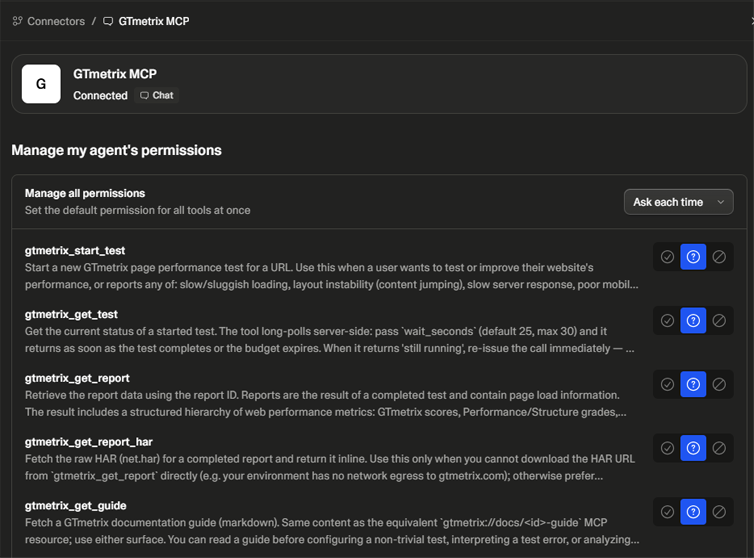
Guest testing with the GTmetrix MCP
You can still connect the GTmetrix MCP without creating an account, but guest testing is highly limited and requires reauthentication to continue once your API credits are used up.
Step 4) Confirm the Connection
You can confirm that the integration is active by typing a confirmation prompt into the Lovable chat interface.
For example:
"Can you see the GTmetrix MCP?"
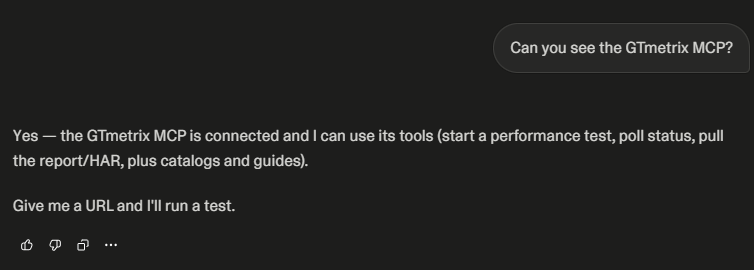
Now that Lovable has access to GTmetrix – you can start testing your Lovable website and get results/data and recommendations all within your Lovable chat.
What Can You Do With GTmetrix in Lovable?
You have access to all GTmetrix MCP tools that allow you to do things like:
- Start tests and get results
- Set Analysis Options like location, device, connection speed, etc.
- Comparing results with different devices (e.g., mobile phones, tablets), connections (e.g., 4G, Broadband), etc.
- Look up past tests and historical data
- Get your current account status
- More here
Because Lovable can inspect both your codebase and the resulting performance reports, it can identify and fix issues throughout the entire application stack, from front-end rendering to backend data delivery.
For example:
- Image and Video Optimization
- Code Refactoring for Delivery
- Script Optimization
- Database & Query Efficiency
- Font and Icon Optimizations
This transforms the workflow from simple performance testing into a continuous optimization loop where GTmetrix identifies bottlenecks and Lovable implements the fixes.
And you can make all of this happen conversationally, within your Lovable chat.
Real World Lovable Optimization Example
To show you the possibilities of the GTmetrix MCP-Lovable integration, we created an example website, then tested its performance and optimized it, all from within the chat window. Check out our case study here.
Summary
The GTmetrix MCP gives Lovable the ability to test, analyze, and improve website performance using real-world data.
Once connected, you can move seamlessly from building to testing and optimization, all without leaving the chat window.
Use this guide to quickly connect the GTmetrix MCP and start optimizing your Lovable project immediately.
Unlock More API Credits for Lovable Powered Performance Testing
Run more tests with additional API credits. Use GTmetrix MCP inside Lovable to automate testing, compare results, access history, and apply fixes.
Available with select PRO plans (excluding Lite plan).
Other features include: Priority access for tests, More Monitored Slots, Access to more locations, Remote Location Monitoring, Complete Mobile testing suite, and more!